

Underrated iOS apps for the iPad Mini
Or: Why I love my iPad Mini as a productivity device

A few months ago I finally upgraded from my hacking iPad (iPad Mini 4), an impulse purchase from Facebook marketplace, to a new iPad mini 5. Unfortunately I wasn’t paying attention and the iPad updated automatically so I wasn’t able to jailbreak it anymore and therefore I couldn’t use it for hacking. After hours of YouTube reviews I decided to purchase a new iPad mini 5, torn between the pro models and the significantly smaller mini. I made the right choice, I use my iPad every day, and I carry it around the house so it’s almost always by my side. I love this lil guy for productivity/work and I genuinely couldn’t live my life without it.
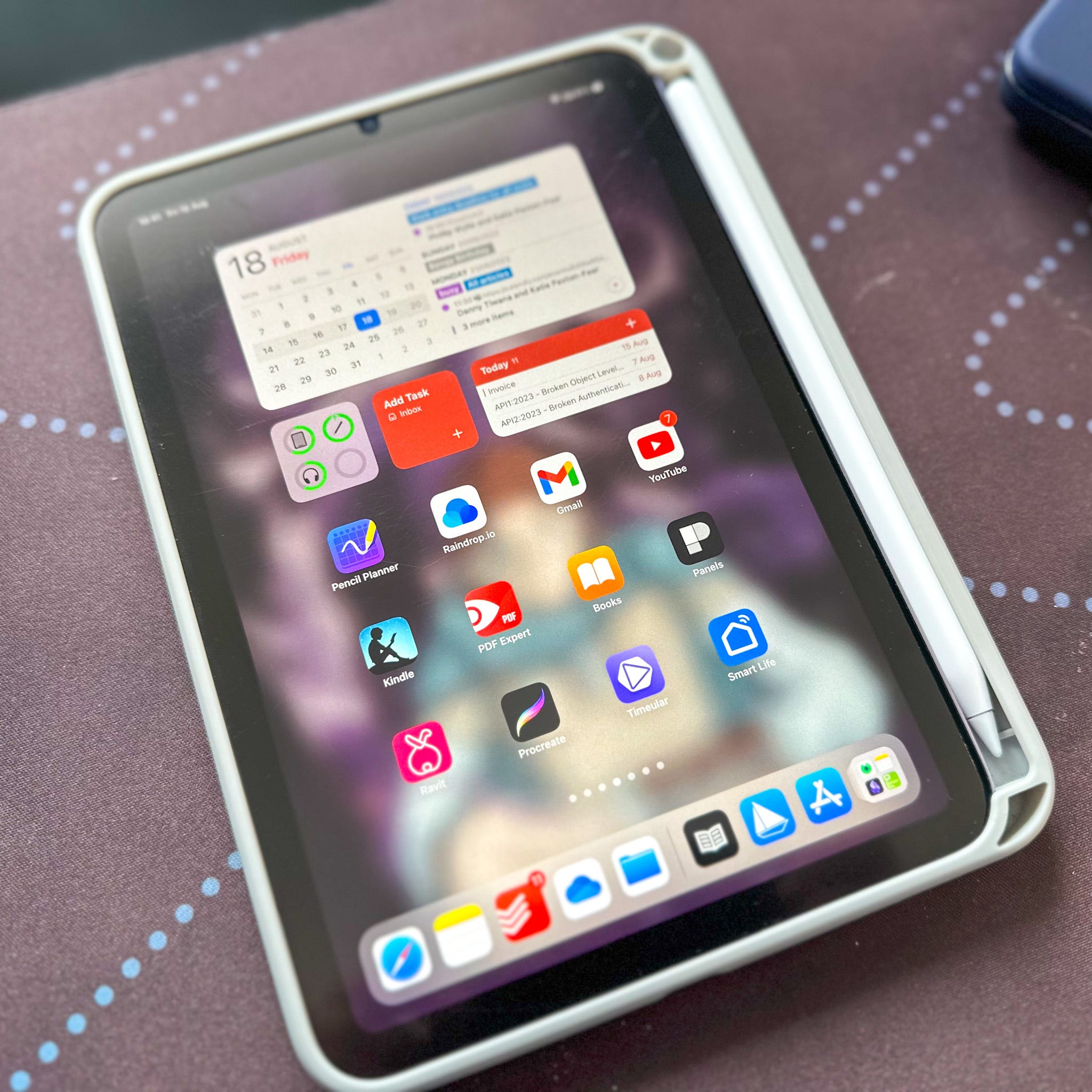
So today I wanted to write about some underrated iOS apps that I don’t think anyone really talks about when they dive into their reviews (seriously why does everyone recommend Lightroom???). These are just iOS apps so many of them are available on iPhone, iPad and/or OSX. I’m going to assume you’re partly bought into the Apple Ecosystem if you’re reading this otherwise this probably isn’t the post for you.
Pencil Planner
Subscription, yearly £19.49
Pencil Planner is a neat planning app that allows you to write on your calendar. It’s great if you like to time block or if you just want to visualise your week. It integrates with your existing calendar so it grabs all the events you have scheduled on google calendar or in your iCloud, and then you can just doodle over the other hours. It has a day, week and monthly view, but I tend to just use the daily view and the weekly view.
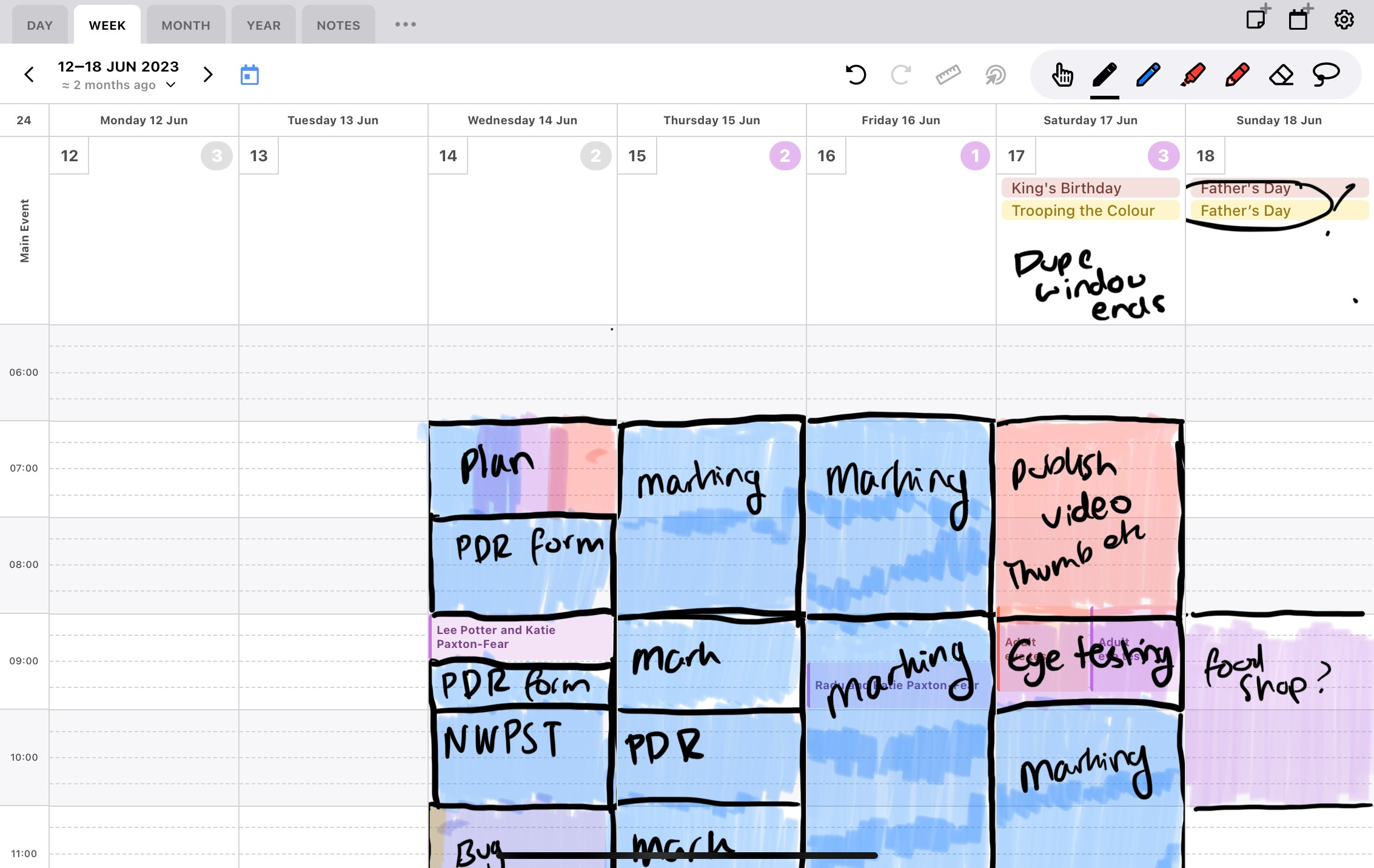
May favourite feature though is that the writing actually carries over to the different views, so you can plan on lots of different levels and make your way to the day view as you plan. It also allows you to attach notes to a day as well as see your Reminders.
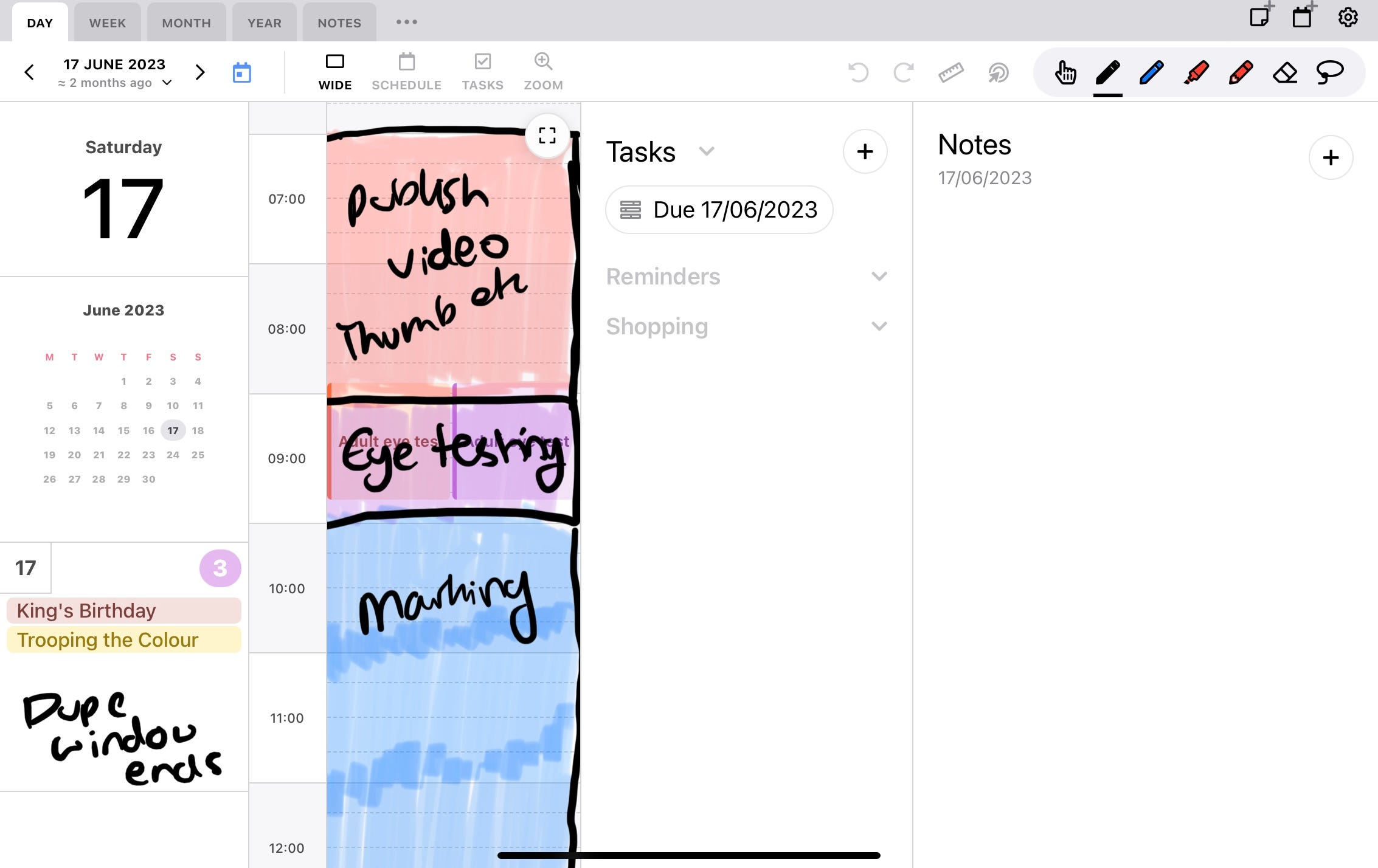
My schedule often changes so I much prefer this type of digital planner to say GoodNotes, while you can plan you’re not left with a different plan on digital paper to what you’ve actually got to attend. I use a separate app for Tasks (Todoist) and Daily Notes (Obsidian) so I’m not a huge user of the daily view, I wish you could attach notes to a full week instead - I could see myself using that more.
LiquidText
One Time Purchase £20 / £9 per month
I honestly don’t know why more people don’t talk about LiquidText, it’s a really unique note taking app that I’ve not seen from any other application. In LiquidText you can start a project, import PDFs, websites, images into the project which then populate the left side bar. You can then open these in the left panel and read as normal. BUT what makes LiquidText Unique is that you can drag from the left panel into the right (the workspace) and take notes on all the documents in that project! You can pull out quotes, images, a blob or draw lines between your notes and the documents. By tapping on the little arrows next to each you can jump to that document+page, making it perfect if you need to cross reference from lots of different documents.
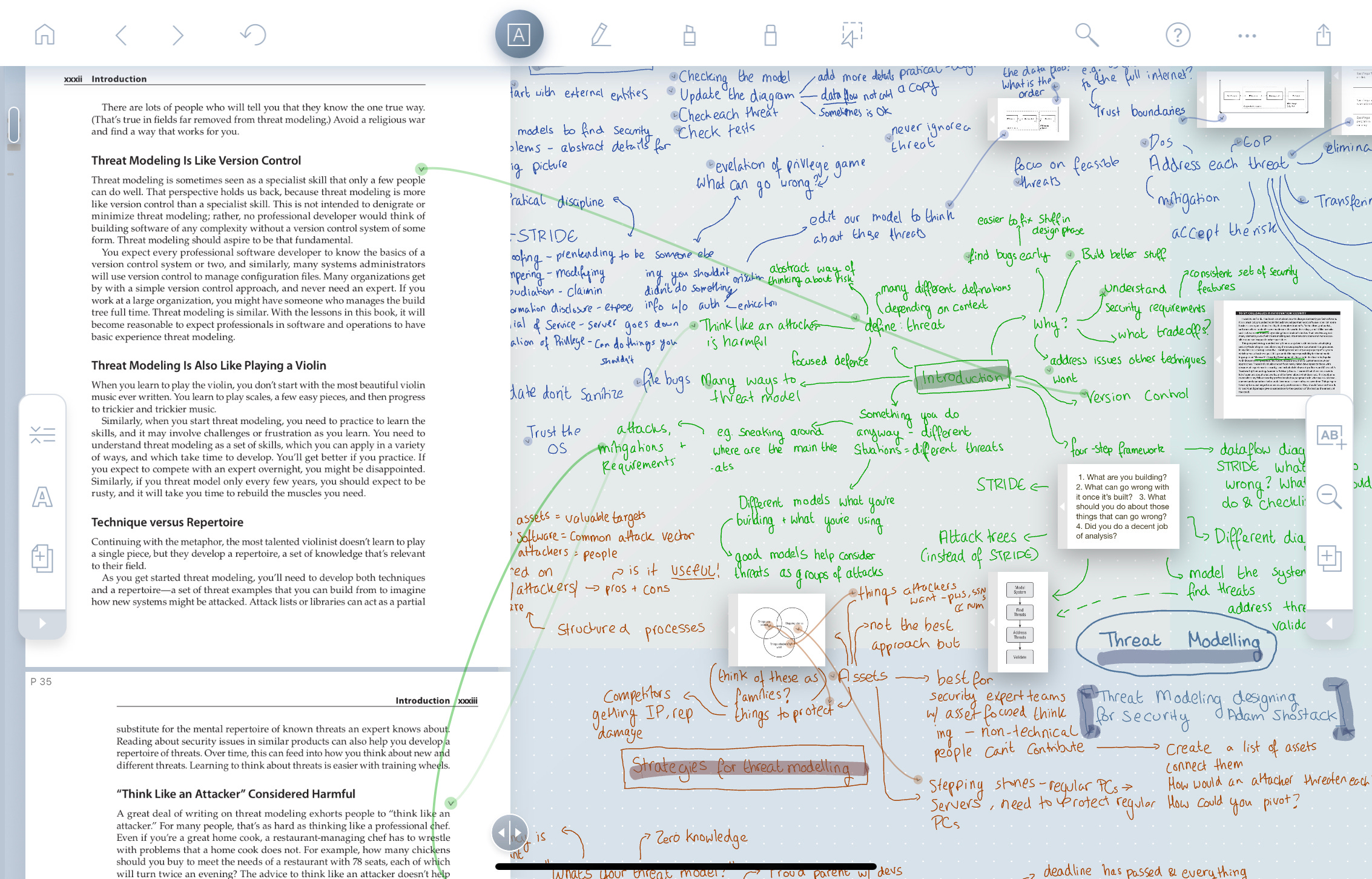
It has syncing features but you’ll have to pay for their LIVE version which is a monthly subscription, and there’s no way to get it to use your own cloud accounts like iCloud, OneDrive and Google Drive. It does integrate with reference managers though if you’re using them to manage PDFs. If you do pay for the syncing it works great with very little lag between the iOS and a OSX versions of the application, meaning you can easily switch between the iPads smaller screen and a large screen to make notes if you need the real estate. I’ve put a screenshot of the scale I like to use
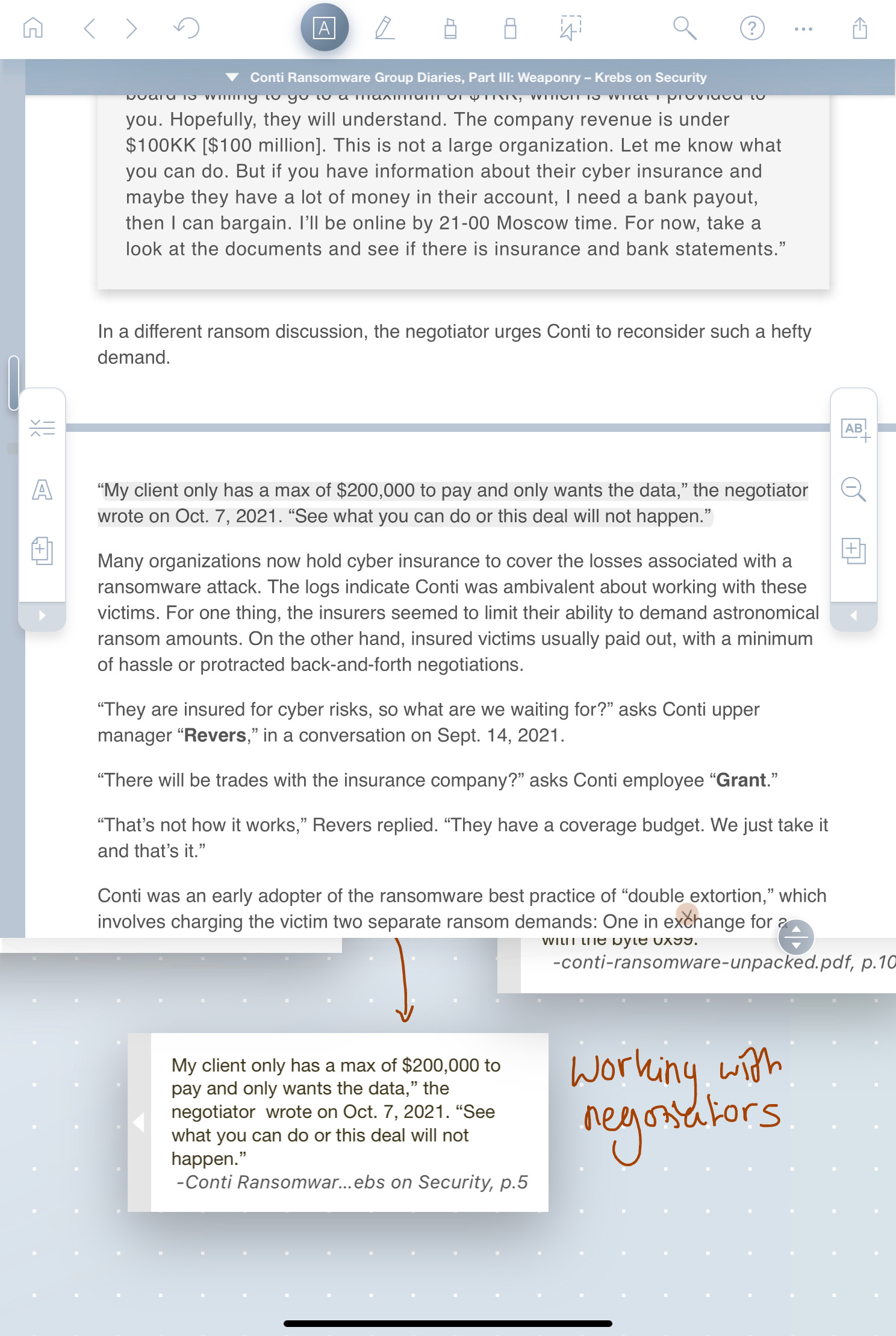
I love working on complex projects with a lot of information from different sources so this is amazing for bringing lots of documents into one place. If you want to start writing/creating I think LiquidText is a great investment for research and pulling together lots of different information. I wish it had support for videos with transcriptions but that might be asking for too much.
Raindrop.io
Free / £3 a month
There’s a few big read later apps from long standing Instapaper to challengers like Readwise’s Reader. Raindrop is a free application that can do double duty as both a bookmark manager and read later application. It’s a cross platform Safari extension and application, basically click the button, paste from your clipboard or share to the app to save it into Raindrop, it supports videos, URLs, documents, podcasts, tweets and it’s very frictionless. You can then read on the platform of your choice later on. The app has folders, tags, full text search, and set reminders on when to view it.
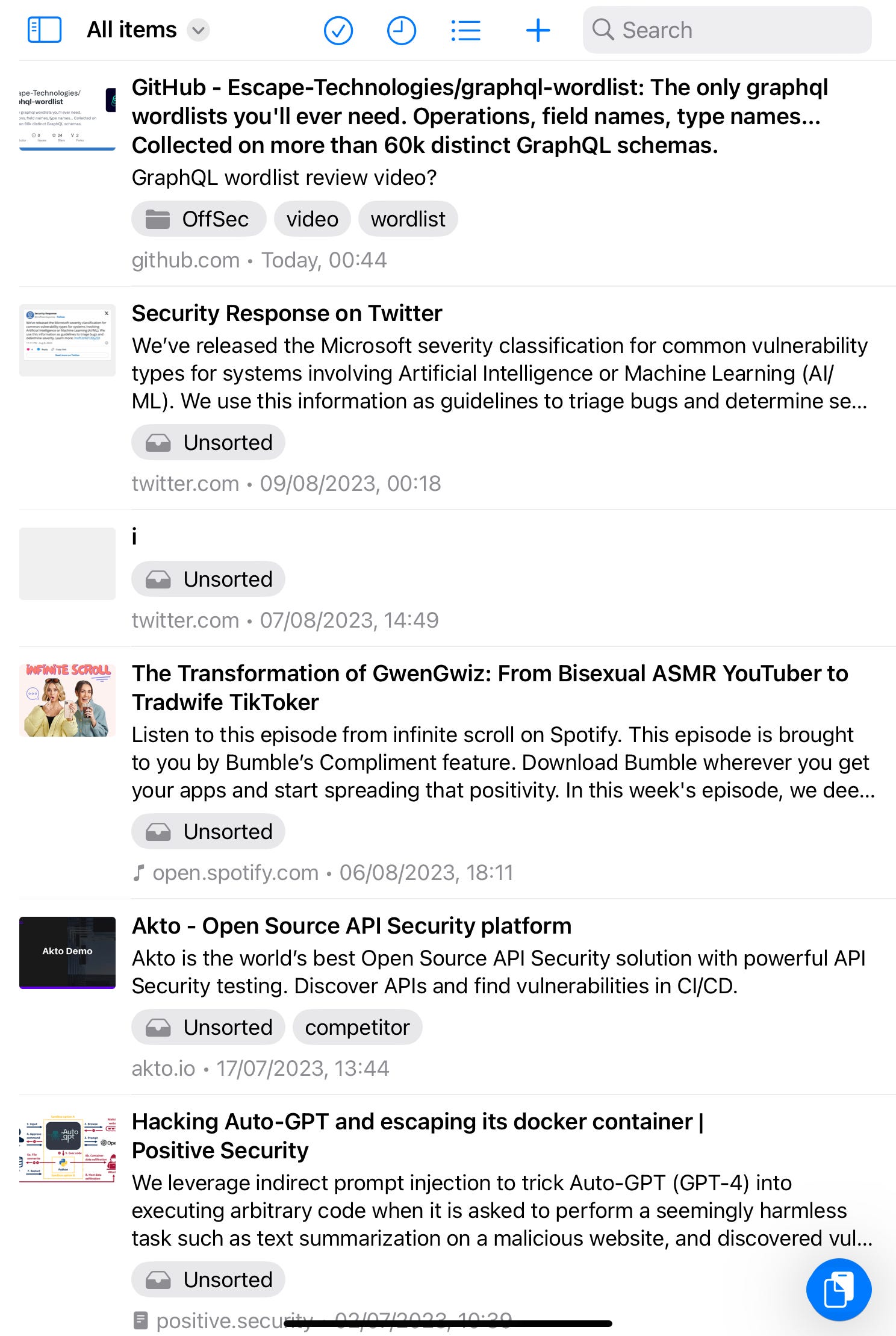
It also has a great API so if you wanted to write custom integrations you can, I have a CRON job every day that reads through Raindrop and grabs any highlights to add to my Obsidian vault. It also integrates with other apps you may recognise such as Readwise, Alfred and Feedly.
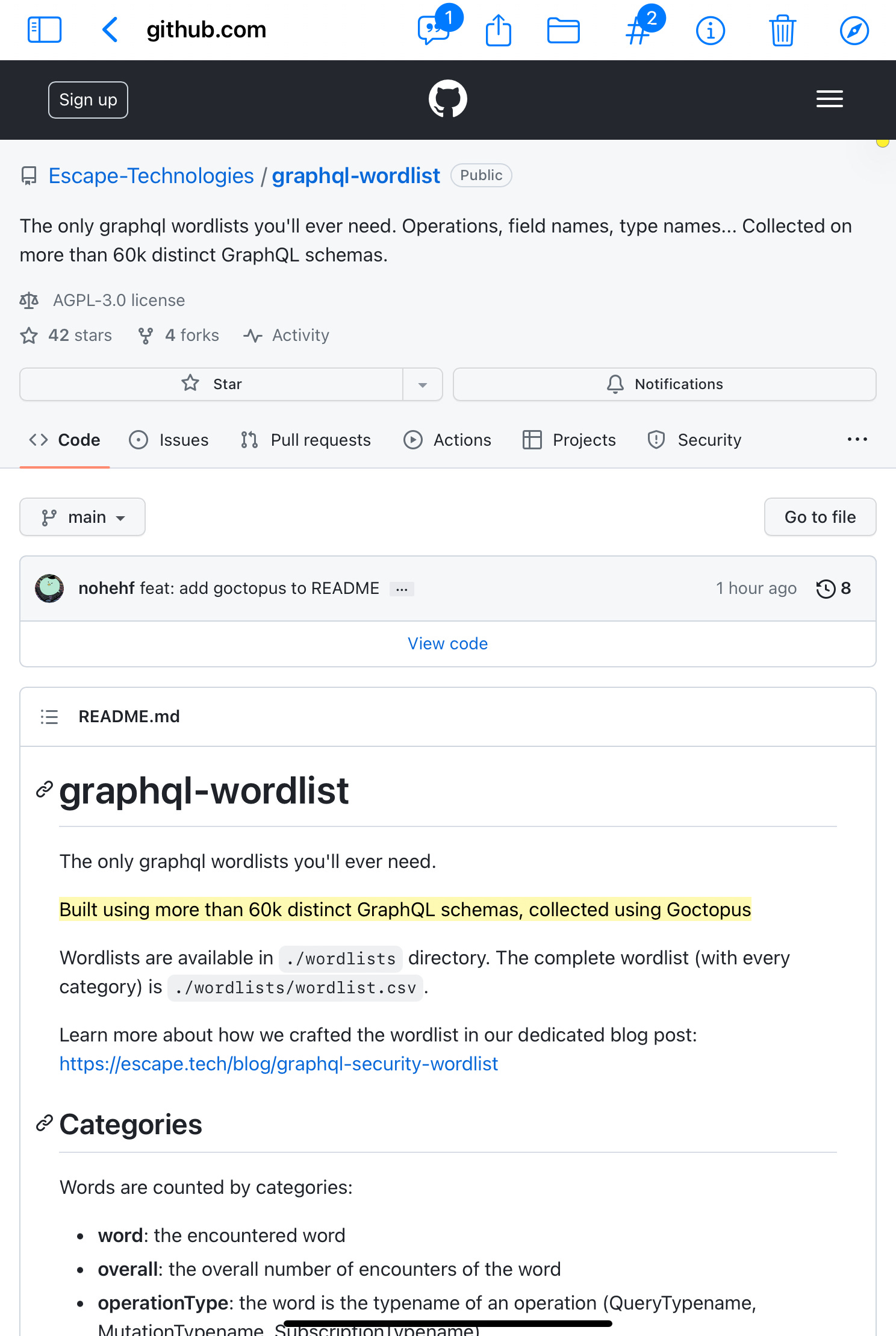
I much prefer reading on my iPad so Raindrop makes it easy to skim potentially useful stuff, and pick up my iPad when I feel like reading and going through them all.
PDF Expert
Free / £6 per month
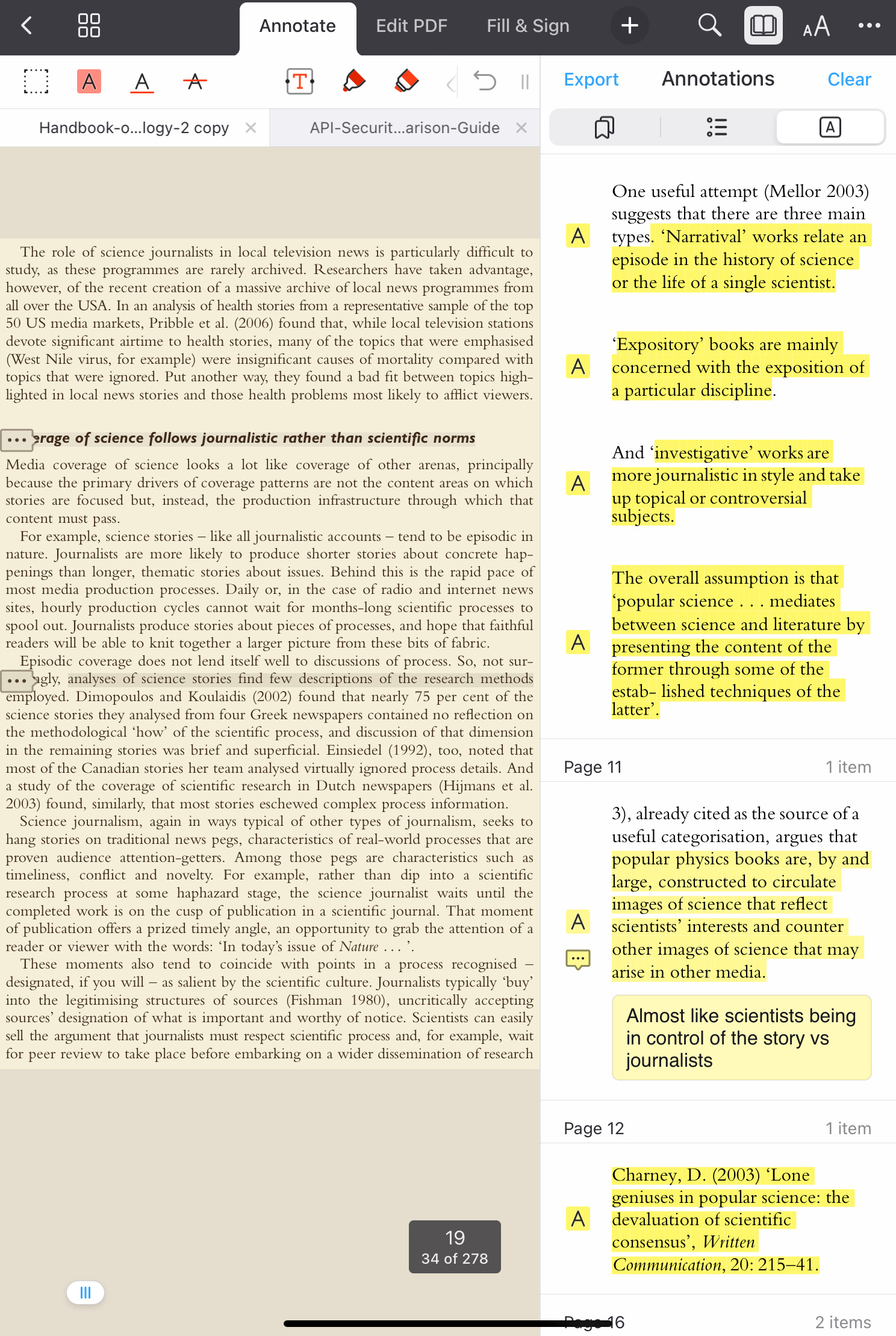
PDF expert is my favourite PDF reading app to use, it’s just so simple, it has some typical features of being able to edit, fill and sign a PDF but I primarily use it as a reader. If you’re viewing on the smaller iPad screen you can actually hide the margins of a document or book to get more text on the screen, it has a night mode and sepia settings to make it easier to read. For highlighting you can highlight with multiple colours, underline or cross out text etc, as well as draw on the page. It’s just a nice application to read on.
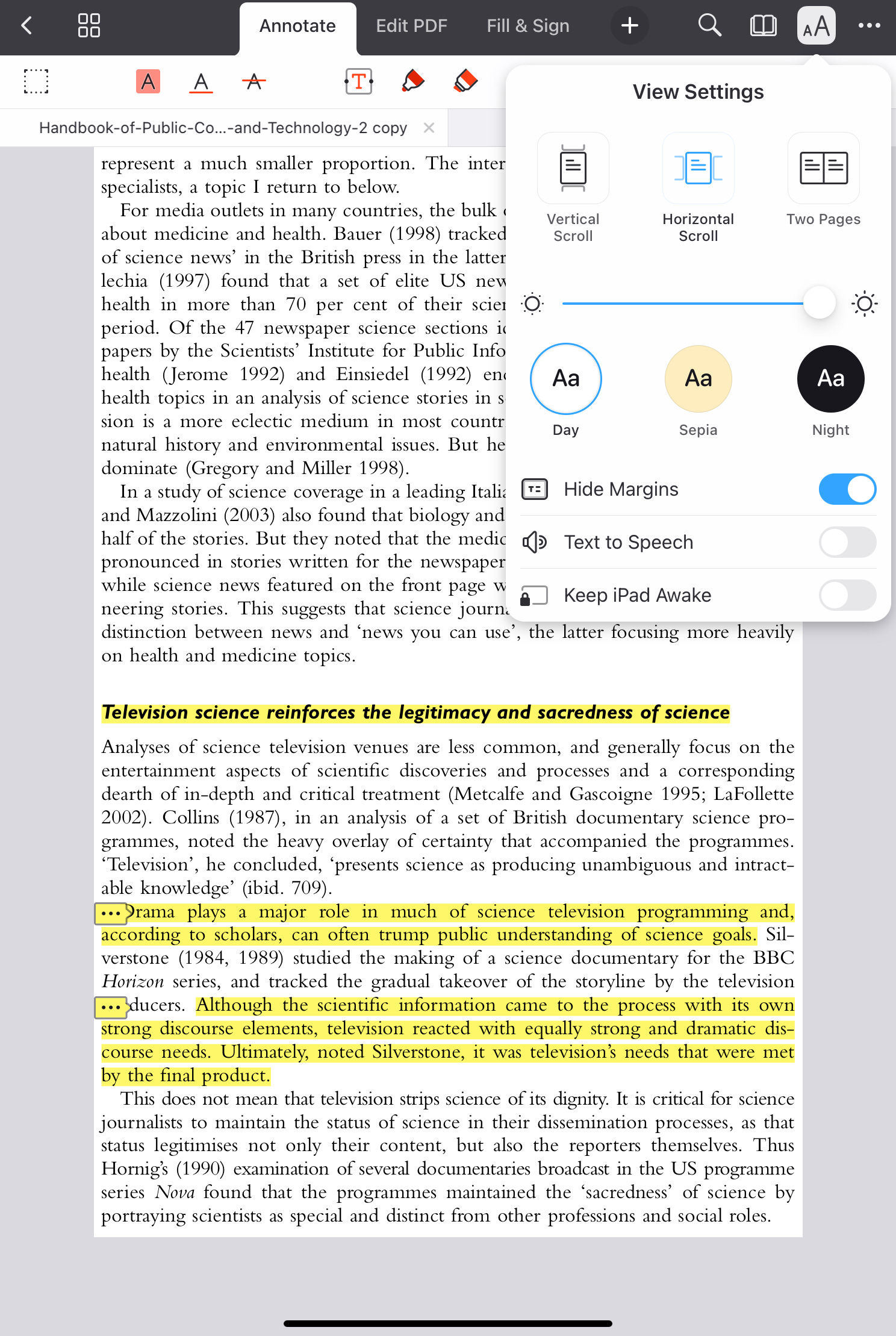
My favourite feature is the ability to view your annotations in the app and export them to a markdown, text or HTML file. So it’s super easy to connect this as a PDF reader into my existing note taking system!
Apple Books
Free
A lot of people when they decide they’re going to read more on a iPad might be tempted to get the Kindle app, and while they’re not wrong and the Kindle app is also very good, syncs with multiple devices, etc… I think people overlook Apple Books. I’m a big fan of DRM free ebooks so I ended up purchasing a lot of books in epub format. If you have a Mac all you need to do to get these books on your iPad is open them, that’s it, no third party apps, no airdropping, just poof it’s done. Send to Kindle by comparison actually has a file size limit on books. The reader looks and feels great, with a night mode if you prefer that, I really like the Calm theme, it’s a sepia tone with an easy to read font.
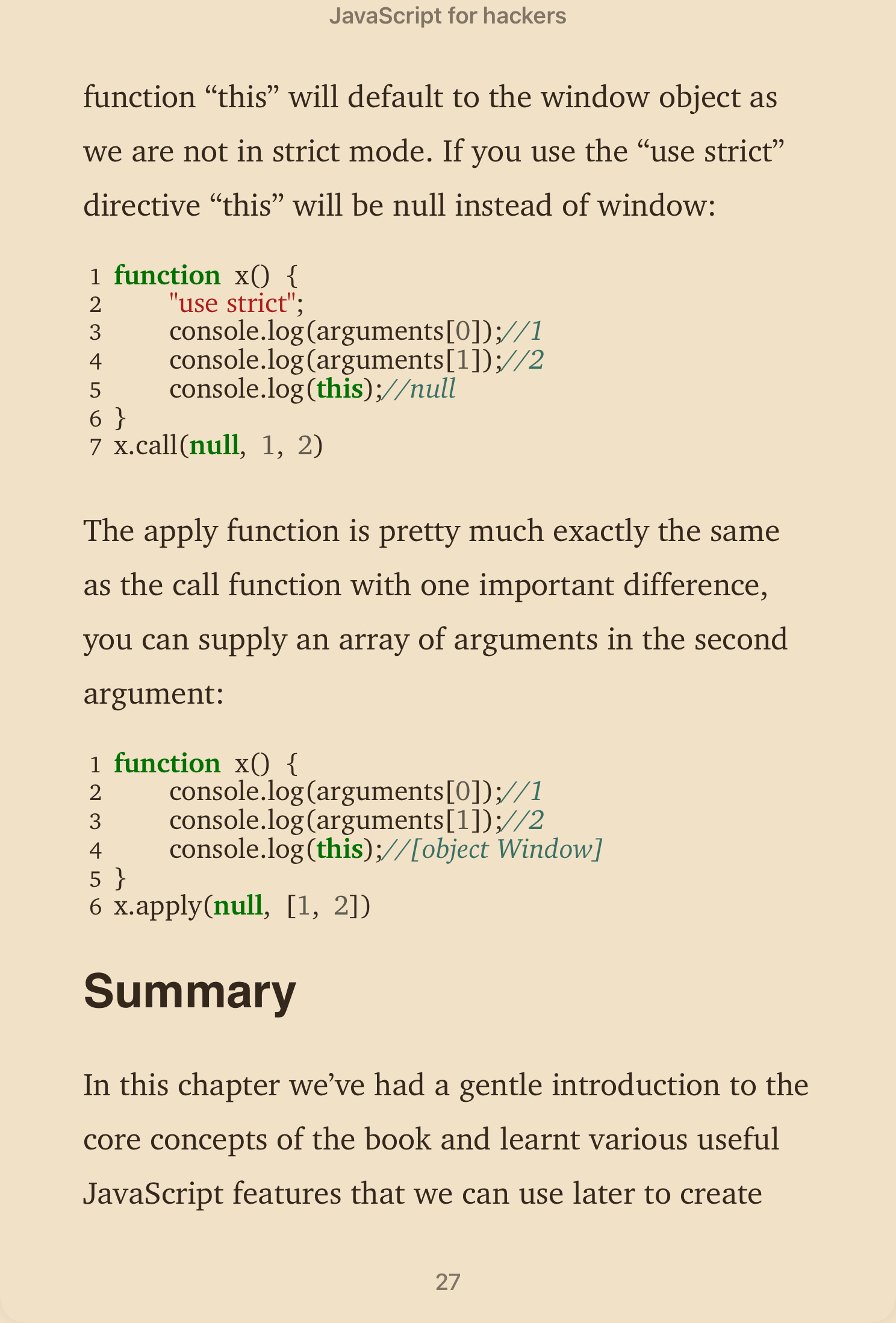
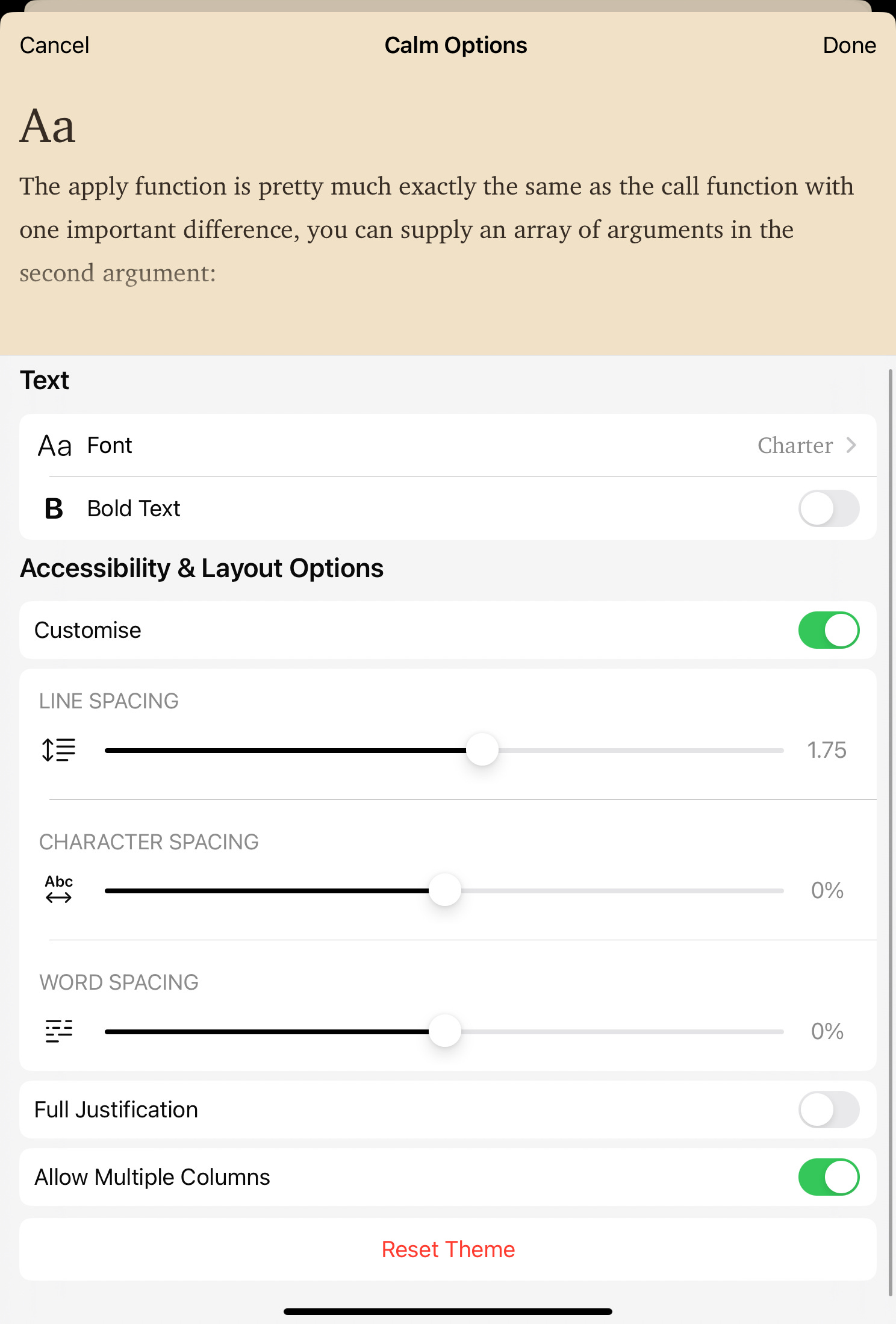
A lot of people I don’t think realise how customisable the stock themes are, you can change fonts, customise line, character and word spacing if you’re dyslexic like me! Here’s how I have mine setup.
So those are my underrated iPad apps, I hope this has helped you to find some new applications that I don’t think enough people are talking about!
Hello Katie, thanks for these recommendations!!
I will definitely check out these applications. Please if you can also write a blog post on learning how to learn in cybersecurity and notetaking, I'd love to see your learning process. Thank you :)